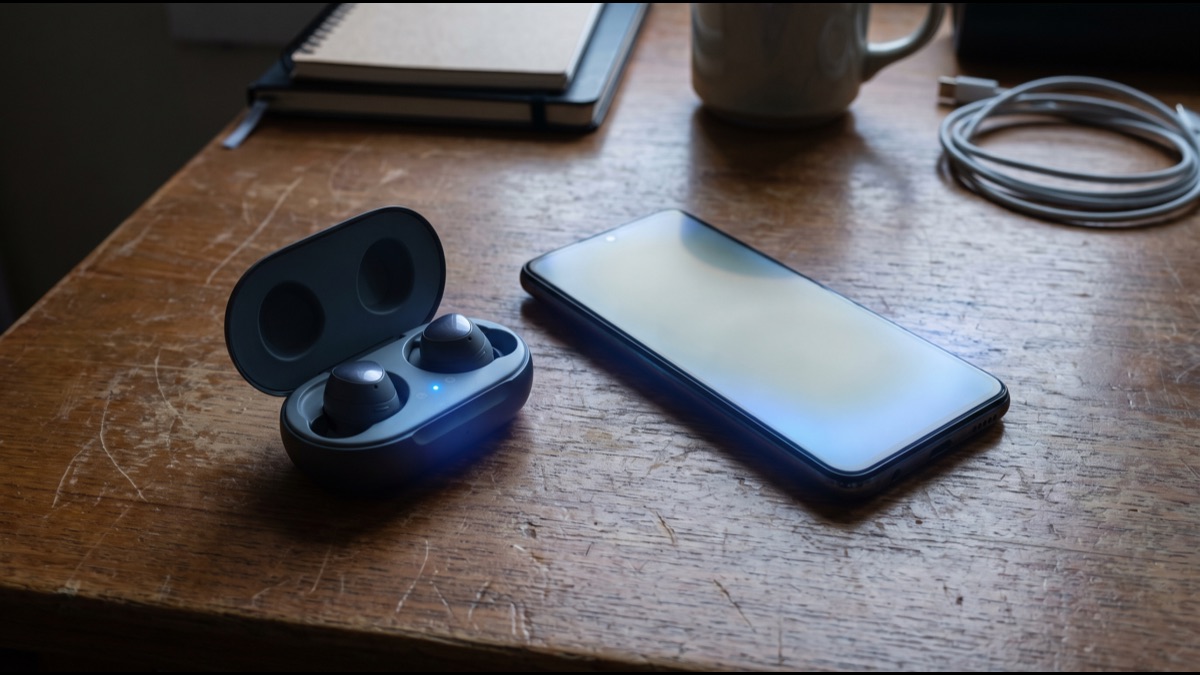
Two devices that have never exchanged a single byte somehow need to agree on a shared secret over open radio air, inside a room full of other Bluetooth devices doing the exact same thing, without a third party being able to eavesdrop and reconstruct that secret. That is the genuinely hard cryptographic problem sitting underneath the ordinary experience of pairing wireless earbuds.
Most people never see any of this happen; they tap a button, wait a moment, and a device connects. Behind that simplicity is a specific, well-defined handshake protocol that has evolved considerably since Bluetooth's earliest versions, precisely because the original approach turned out to have real security weaknesses that needed fixing.
The Genuine Problem Bluetooth Pairing Has to Solve
Any two wireless devices attempting to communicate securely face a foundational cryptographic challenge known as key exchange: how do you establish a shared secret over a channel that anyone nearby can technically listen to, without an eavesdropper being able to derive that same secret from what they overhear?
This is not a hypothetical concern. Bluetooth radio signals typically travel well beyond the distance either paired device actually needs, meaning anyone with a compatible receiver within that broader radius could, in principle, capture every packet exchanged during pairing if the protocol did not account for this.
Bluetooth's pairing process exists specifically to solve this problem using established public-key cryptography techniques, allowing two devices to agree on a secret that an eavesdropper capturing the same radio traffic cannot practically reconstruct, even with significant computing resources.
How Devices Actually Find Each Other First
Before any security handshake can begin, devices must discover each other, which happens through a device entering discoverable mode and broadcasting small advertising packets announcing its presence, device type, and supported capabilities to anything listening nearby.
A scanning device, such as a phone actively searching for nearby Bluetooth accessories, listens for these advertising packets and presents any discovered devices to the user, who then selects which one to actually attempt pairing with.
This discovery phase carries no cryptographic protection at all, since the whole point is to be openly announced; the security work only begins once a specific device has been selected and the actual pairing handshake starts.
What Pairing and Bonding Actually Mean Separately
Pairing and bonding are frequently used interchangeably in casual conversation but refer to genuinely distinct steps in the Bluetooth specification. Pairing is the one-time cryptographic handshake that establishes mutual trust and a shared secret between two devices.
Bonding is the subsequent decision to store that shared secret, called the link key, in each device's persistent memory so future connections can skip repeating the full handshake and instead use the stored key to quickly re-establish an encrypted connection.
A device can technically pair without bonding, in which case the trust relationship and its shared key are simply discarded once the connection ends, requiring the entire handshake to be repeated from scratch the next time the two devices want to connect.
How the Key Exchange Establishes a Shared Secret
Modern Bluetooth uses a technique called Elliptic Curve Diffie-Hellman key exchange, a well-established public-key cryptography method that allows two parties to jointly compute an identical shared secret using their own private values plus a value the other party sent publicly.
The mathematics is structured so that an eavesdropper who intercepts every single value exchanged over the air still cannot feasibly compute the resulting shared secret, since doing so would require solving a computational problem believed to be intractable within any realistic timeframe using current hardware.
Once both devices independently arrive at the identical shared value through this exchange, that value feeds into deriving the actual encryption keys used to protect subsequent communication, without either device ever having transmitted the final secret itself over the air.
Why Man-in-the-Middle Protection Actually Matters
A pure key exchange alone is vulnerable to a specific attack called a man-in-the-middle, where an attacker intercepts and relays communication between two devices, establishing separate shared secrets with each side while both legitimate devices believe they are talking directly to each other.
Bluetooth's pairing methods therefore add an authentication step on top of the raw key exchange specifically to rule out this scenario, requiring some additional confirmation that the two devices are genuinely talking to each other and not to an intermediary relaying traffic between them.
The specific authentication method used depends heavily on what input and output capabilities each device actually has, since a pair of wireless earbuds with no screen or keyboard cannot perform the same verification steps available to a phone or laptop.
How Just Works Pairing Trades Security for Convenience
Devices lacking any display or keyboard, which describes the overwhelming majority of headphones, speakers, and similar accessories, typically use a mode called Just Works, which completes the key exchange but skips any meaningful authentication step entirely.
This means Just Works pairing remains technically vulnerable to a man-in-the-middle attack under the right conditions, since there is no mechanism for either device to actually confirm it is establishing a secret with the intended device rather than an intercepting one.
In practice, this theoretical weakness matters little for most consumer accessory use, since executing a real-time man-in-the-middle attack requires an attacker to be physically present during the brief pairing window and to have specialized equipment, making it an impractical threat for the overwhelming majority of everyday pairing events.
How Numeric Comparison Actually Verifies Both Sides
Devices that both have a screen, such as a phone pairing with a car's infotainment system, commonly use numeric comparison, where each device independently computes a six-digit number from the underlying key exchange and displays it to the user.
The user's job is simply to confirm both displayed numbers actually match before accepting the pairing, and because the number is derived mathematically from the specific key exchange values used in that session, an intercepting attacker relaying different values to each side would cause the two displayed numbers to differ, exposing the attack.
This method genuinely defeats a man-in-the-middle attack precisely because the human confirmation step closes the gap that Just Works leaves open, at the cost of requiring a brief moment of user attention that a fully automatic connection does not.
The specific six-digit format was chosen deliberately as a balance point: short enough that comparing two numbers takes a user only a second or two, yet long enough that an attacker attempting to guess or brute-force a matching value without actually intercepting the real exchange has a negligible chance of success within the brief pairing window.
How Passkey Entry Works on Devices With No Screen
When one device has a screen and the other has only a keyboard or number pad, such as pairing a phone with a car's built-in system that lacks a display, passkey entry displays a code on the capable device that the user then manually types into the other one.
This achieves broadly the same authentication goal as numeric comparison, confirming both devices are genuinely communicating with each other rather than through an intermediary, just using a slightly different interaction pattern suited to the asymmetric capabilities of the two devices involved.
Older legacy versions of Bluetooth used a similar but cryptographically weaker approach called PIN pairing, which has largely been superseded by the stronger Secure Simple Pairing framework introduced in more recent versions of the Bluetooth specification.
What Out-of-Band Pairing Actually Adds
Some devices support out-of-band pairing, which uses a completely separate communication channel, most commonly NFC, to exchange the initial cryptographic material needed to establish trust before the actual Bluetooth radio link is even opened.
Because NFC requires devices to be held within roughly a centimeter of each other, an attacker attempting to intercept that specific exchange would need to be physically positioned essentially between the two devices at the exact moment of contact, which is a considerably harder attack to execute covertly than intercepting ordinary Bluetooth radio traffic.
This approach is commonly used for tap-to-pair scenarios, such as touching a phone to a speaker to establish pairing almost instantly, combining strong security assurance with a genuinely convenient user interaction.
How the Stored Link Key Powers Later Reconnections
Once bonding stores the link key, every subsequent connection between the two devices can skip the full authentication handshake and instead use that stored key to quickly derive a fresh session key specific to that particular connection.
This is why reconnecting a previously paired device, such as putting on headphones already bonded to a phone, feels instantaneous compared to the original pairing process, since the computationally heavier key-exchange and authentication steps only ever happen once for that specific device pair.
The session key itself changes with every new connection even though the underlying trust relationship, represented by the stored link key, remains constant, which limits the practical impact if any single session's encryption were somehow compromised.
Why Bluetooth Hops Frequencies Constantly
Bluetooth operates in a crowded, unlicensed radio band shared with many other wireless technologies, and to reduce interference and make passive eavesdropping meaningfully harder, connected devices rapidly hop between dozens of different frequency channels many times per second according to a pattern only the paired devices know.
This frequency-hopping pattern is derived during the connection setup and effectively synchronized between the two devices, meaning an outside receiver without knowledge of that specific hopping sequence would need to simultaneously monitor the entire frequency band to reliably capture a complete data stream.
While frequency hopping was originally designed primarily to reduce interference from other nearby wireless devices rather than as a dedicated security feature, it does meaningfully raise the practical difficulty of passive eavesdropping as a useful side effect.
How Classic Bluetooth and Bluetooth Low Energy Differ
Modern Bluetooth actually encompasses two related but distinct radio technologies operating under the same brand: Classic Bluetooth, optimized for continuous higher-bandwidth streams like audio, and Bluetooth Low Energy, optimized for small, infrequent data exchanges from battery-constrained devices like fitness trackers and smart sensors.
Both technologies use broadly similar pairing security principles, including public-key exchange and comparable authentication methods, but they use somewhat different underlying protocols and data structures, meaning a device typically declares upfront which variant it supports for a given connection.
This split explains why a pair of wireless earbuds and a fitness tracker, despite both being described as Bluetooth devices, can behave quite differently in terms of connection speed, range, and battery impact, since they are frequently built around different underlying radio profiles optimized for their specific use case.
What Actually Happens When You Unpair a Device
Removing or forgetting a paired device from a phone or computer's settings deletes that device's stored link key from local memory, which severs the bonding relationship entirely and requires the full pairing handshake to be repeated if the two devices ever want to connect again.
This deletion generally only happens on the device where the user explicitly initiated the unpairing action; the other device typically retains its own copy of the now-orphaned link key until it independently detects the mismatch and clears it, or until the user manually forgets the pairing on that device as well.
This is a genuinely useful security practice when disposing of or selling a device, since it ensures old pairing relationships cannot be silently reused by whoever acquires the device next, though users should verify both sides of a pairing relationship were actually cleared rather than assuming one side's action was sufficient.
Why Older Pairing Methods Remain a Real Weakness
Devices manufactured before Secure Simple Pairing became standard, or devices deliberately configured to fall back to legacy pairing for compatibility reasons, use considerably weaker cryptographic methods that genuinely can be broken by a sufficiently motivated attacker with the right specialized equipment.
Security researchers have documented practical attacks against these legacy pairing methods, generally requiring the attacker to be present during the actual pairing exchange or to exploit specific implementation flaws in how a given device handles the handshake, rather than being able to attack an already-established connection after the fact.
The practical takeaway for most users is that modern devices using current Bluetooth versions and Secure Simple Pairing offer genuinely strong protection for ordinary consumer use, while very old or unusual devices still relying on legacy pairing methods warrant somewhat more caution about where and when pairing actually takes place.
Manufacturers have also progressively hardened related weak points beyond the pairing handshake itself, including randomizing the Bluetooth device address broadcast during discovery so that a device cannot be silently tracked across locations over time purely from its advertising signal, a privacy concern separate from but adjacent to the core pairing security question.
Sources
- Wikipedia — overview of Bluetooth technology and protocol versions
- Bluetooth SIG — official specification body for Bluetooth pairing and security
- National Institute of Standards and Technology — guidance on Bluetooth security
- Institute of Electrical and Electronics Engineers — wireless communication standards research
- Electronic Frontier Foundation — analysis of wireless privacy and security tradeoffs
FAQ
Why do some Bluetooth devices pair instantly with no code at all?
Devices without a screen or keyboard, like most headphones, use a mode called Just Works that skips user verification entirely, trading some security for convenience.
What actually happens when I forget or unpair a Bluetooth device?
Both devices delete their stored copy of the shared link key, so the next connection has to repeat the full pairing handshake from scratch.
Can someone eavesdrop on my Bluetooth connection?
Modern Bluetooth uses strong encryption and frequency hopping that make passive eavesdropping impractical, though older devices using weaker legacy pairing methods remain more vulnerable.
Why does my phone show a six-digit code when pairing with a car?
That is numeric comparison pairing — both devices independently compute the same code from the key exchange, and you confirm the two displayed numbers actually match.
Does Bluetooth pairing use the same encryption every time I reconnect?
No — the stored link key from initial pairing is used to derive a fresh session key for each new connection, so the encryption itself changes even though the underlying trust relationship persists.
About the Author
We reference Wikipedia, the Bluetooth SIG, the National Institute of Standards and Technology, the Institute of Electrical and Electronics Engineers, and the Electronic Frontier Foundation to explain the background and current understanding of this topic.
Loved This Article?
Share it on WhatsApp → Share it on WhatsApp
Get more guides in your inbox — Subscribe to our newsletter for weekly surprising stories from Egypt, Saudi Arabia, Dubai, and beyond.